Tripletex
Connect Exopen to Tripletex to automatically pull in your general ledger, customer and supplier ledgers, invoices, projects, products and departments.
For the integration to work, you first create an API key in Tripletex and then paste it into the Exopen portal.
Step 1: Create an API key in Tripletex
The API key (Employee Token) is created by a user in Tripletex and bound to Exopen as the integrator.
-
Sign in to Tripletex as the user who will own the API key. The user must have access to every module Exopen needs to sync (ledger, customer/supplier ledgers, invoices, projects, products).
-
Open the user's API access tab (under the user profile).
-
Choose Adapted setup.
-
In the application name field, type exactly:
ExopenCase-sensitiveThe name must be written exactly as shown — capital E followed by lowercase letters. Tripletex matches the name case-sensitively and the integration will not work if the name is spelled differently.
-
Set the entitlement level to All entitlements so Exopen can read every data type it needs to sync.
-
Give the token a recognisable name, for example Exopen.
-
Click Create token. Tripletex now shows the token once in a dialog — copy it immediately and keep it handy for step 2.
Tripletex has a help article describing how to activate integrations with an API key: How do I activate integrations with an API user key? (Norwegian only)
Step 2: Add the data source in the Exopen portal
-
Sign in to the Exopen portal.
-
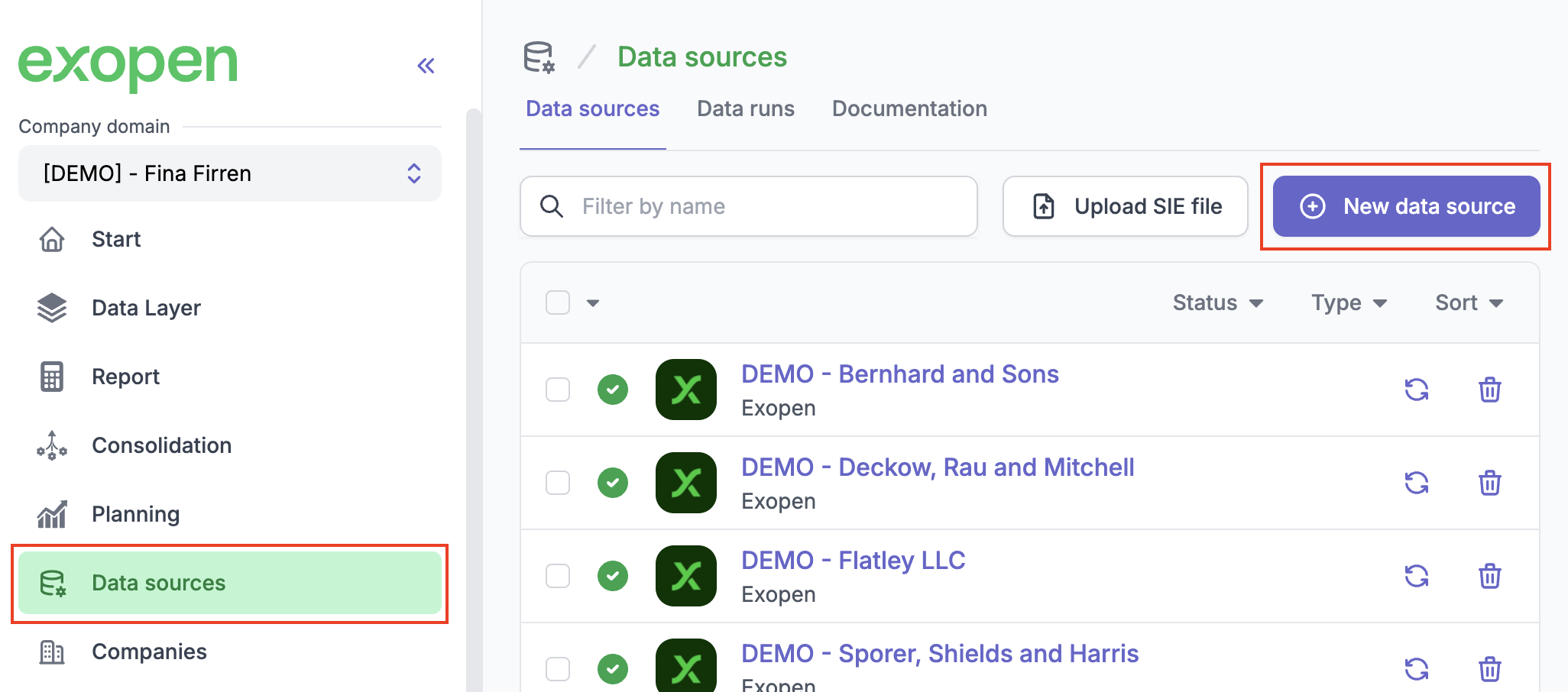
Go to Data sources and click New data source.
-
Select Tripletex from the list of available integrations.
-
Paste the API key you copied in step 1 into the API key field.
-
Click Add data source.
Exopen verifies the key against Tripletex, creates the data source and kicks off an initial sync. Depending on the volume of data, the first sync can take anywhere from thirty minutes up to a couple of hours.
Looking after the API key
If you create a new API key for the same user in Tripletex, the existing key is invalidated and the connection to Exopen stops working. Leave the key in place for as long as the integration should stay active. If the key needs to be replaced, contact support@exopen.se.
Exopen automatically refreshes the underlying session token — you only need to manage the API key itself in Tripletex.