Memory
Exopen AI remembers things you tell it to remember, so you don't have to repeat context between conversations.
What the AI can remember
- Recurring patterns in your work (e.g. "we always report in SEK")
- Which entities you most often ask about (customers, projects, cost centres)
- Conventions in your organisation (e.g. "Q1 = January–March")
Memory is per user, not per conversation. It follows you to the next chat.
When memory updates
The AI saves something to memory when it's clearly reusable. You can also ask explicitly: "Remember that we always calculate margin excluding inventory revaluation."
Manage your memory
Click Settings at the bottom of the chat sidebar to open the settings dialog. The memory panel sits in the middle — there you can:
- See a list of what the AI has saved
- Delete individual memory items
- Clear all memory
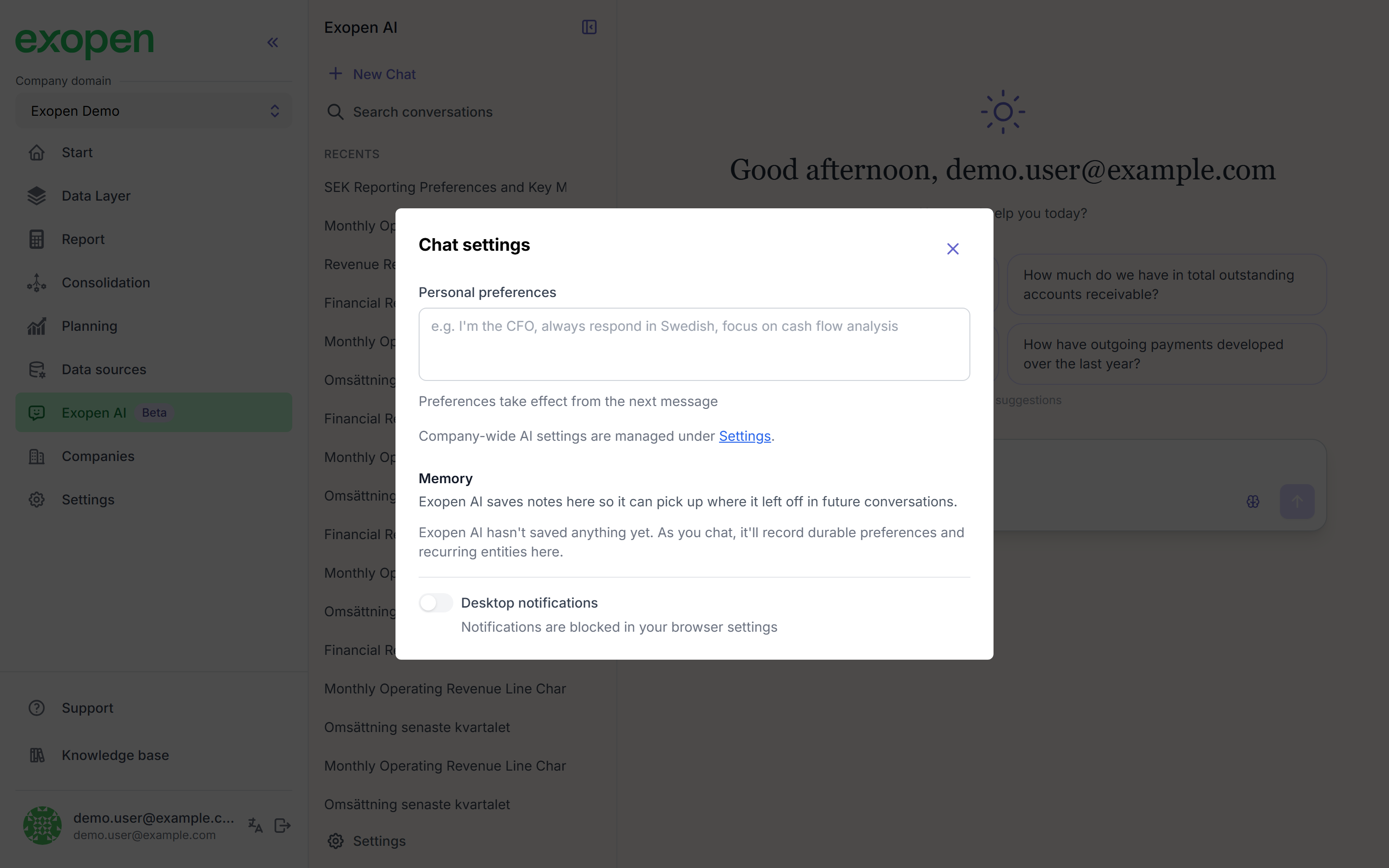
The settings dialog — the memory panel sits in the middle.
Privacy
Memory is tied to your user account in your company. Other users can't see it, and it isn't accessible outside your company domain.